


How to Choose the Right UPS for Your PC in Malaysia
A Malaysian buyer's guide to picking a UPS for your PC: how to size VA and wattage, choose line-interactive vs online, and weigh warranty and battery costs…
| UPS | Capacity | Outlets | Runtime | Price (RM) |
|---|---|---|---|---|
| Prolink PRO700S | — | — | — | — |
| APC Back-UPS BX2200MI-MS | 2200 VA | 4 universal | 240 min | — |
| APC Back-UPS Pro Gaming 1320W / 2200VA | 1320W / 2200VA | 6 outlets | 10 mins | — |
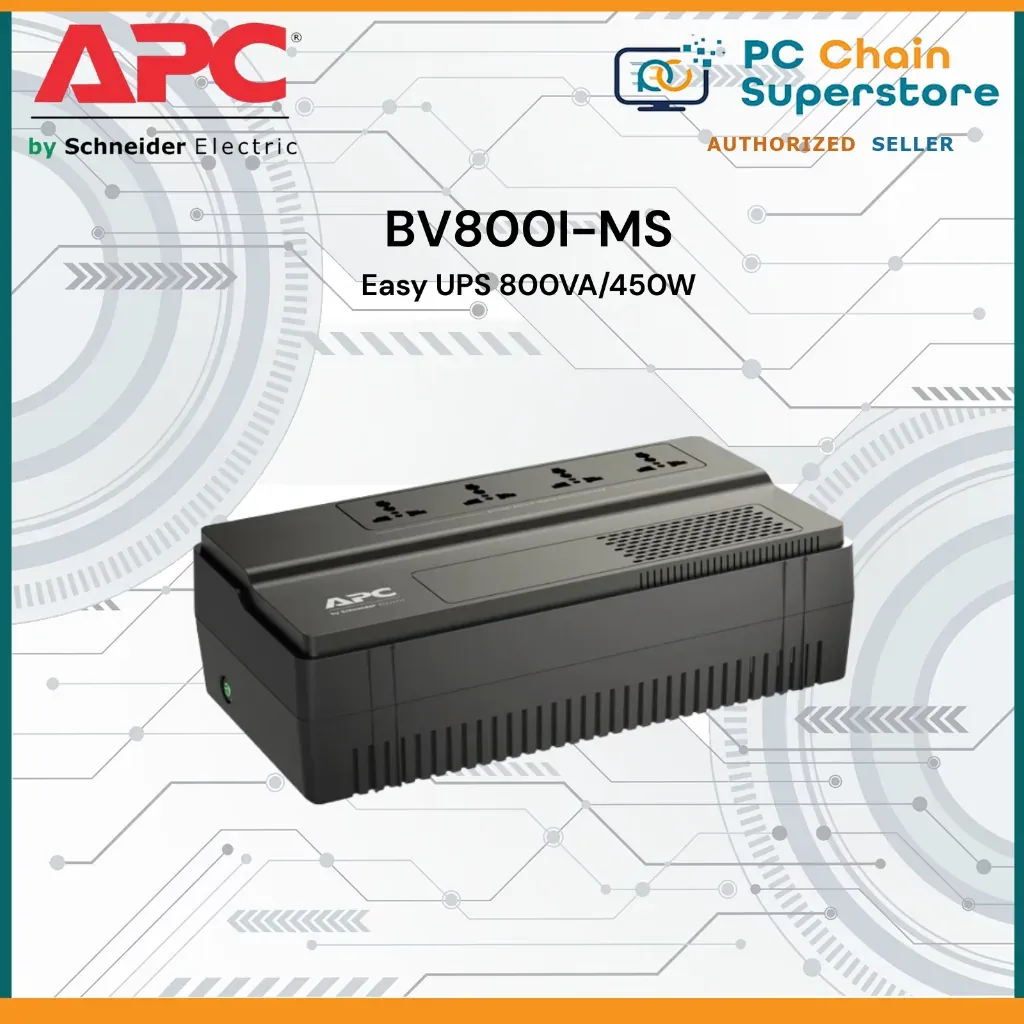
| APC Easy UPS AVR BV800I-MS | 800VA | 4 universal outlets | — | — |
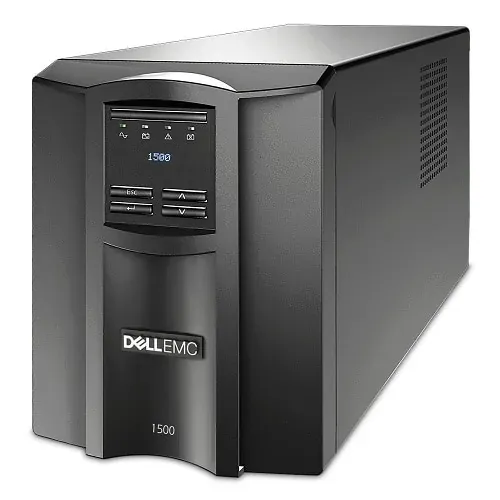
| Dell-APC Smart-UPS Line-interactive 1.44 kVA/1 kW | 1.44 kVA | 8 x NEMA 5-15 | 7 Minute | — |
A UPS keeps your PC alive through brownouts and trips. This guide shows Malaysian buyers how to size one correctly before spending.
Malaysia's power reality and the UPS market
Frequent thunderstorms, short voltage dips and sudden outages make a UPS a practical purchase for any desktop PC, not a luxury. A backup battery steps in during an outage to prevent stoppages and data loss, as Right Power UPS puts it.
Local buyers have plenty of choice. APC and Prolink come recommended in Malaysian user discussions, while some users warn about APC replacement battery costs and cite good experiences with Riello. Budget options start low: one Malaysian roundup covers 5 UPS units under RM200 to stop computers dying suddenly.
Prices climb with capacity and topology. A Lowyat forum user noted APC is too expensive at RM900+ for a 900VA model, while a basic 850VA unit was found for rm175. Expect to pay more as you move from standby units to line-interactive and online models.
Our 5 Picks at a Glance
Our five picks span the market: the Prolink PRO700S for tight budgets, the APC Back-UPS BX2200MI-MS for mainstream desktops, the APC Back-UPS Pro Gaming 1320W / 2200VA for gaming rigs, the APC Easy UPS AVR BV800I-MS for light loads, and the Dell-APC Smart-UPS Line-interactive 1.44 kVA/1 kW for serious workstation protection. Prices below come from Malaysian retail listings and forum posts; where none is available, check current price.
Sizing: VA, watts and runtime
Start with wattage, not VA. CyberPower's buying guide recommends the UPS output watt rating cover the total load of everything you plug in, so add up your PC, monitor and router first. A gaming PC with a high-end GPU can pull far more than an office desktop, which is why the APC Back-UPS Pro Gaming 1320W / 2200VA exists.
Runtime matters as much as capacity. Most home users only need a few seconds to a few minutes to save work and shut down, and a Lowyat user reckoned a normal sub-RM100-200 unit should be enough for that. If you run long renders or need graceful shutdowns, step up to the Dell-APC Smart-UPS Line-interactive 1.44 kVA/1 kW.
Topology and features: standby, line-interactive, online
Topology decides how clean your power stays. Standby units switch to battery during outages, while line-interactive models add automatic voltage regulation, which Prolink UPS units are noted for alongside surge protection. Online double-conversion units cost more, and a Lowyat user with a rm400 budget found online models out of reach.
Match features to your setup. The APC Easy UPS AVR BV800I-MS offers 800VA with four universal outlets and floor or wall mounting, which suits routers and light desktop loads. The Prolink PRO700S covers basic backup for smaller systems, while the APC Back-UPS BX2200MI-MS brings 2200VA with AVR to mainstream desktops.
Warranty, batteries and running costs
Battery replacement is a recurring cost. A Malaysian forum thread notes the standard local warranty is 3 years for electronics failure and 2 years for batteries, so check both before buying. Some users flag APC's replacement battery pricing as a concern.
Cheap batteries exist, but plan for them. One user reported getting a replacement battery online for rm 30++ only, treating it as a yearly consumable. Factor that into the total cost of ownership for whichever unit you pick.
Where to Buy and What to Check
Buy from established Malaysian retailers and official brand stores. APC stock appears at ALL IT Hypermarket, Shopee Malaysia carries a wide UPS range, and Lazada lists Prolink and CyberPower backup units. KOSS UPS Malaysia supplies battery systems for homes and businesses if you need larger deployments.
Before paying, confirm the VA and watt ratings, outlet count and plug type, and whether the unit is floor or wall mountable. Ask for the warranty terms in writing and check the replacement battery price for your model.
Finally, test the unit after setup. Plug in your PC and monitor, simulate an outage, and confirm your system rides through it long enough to save and shut down safely.
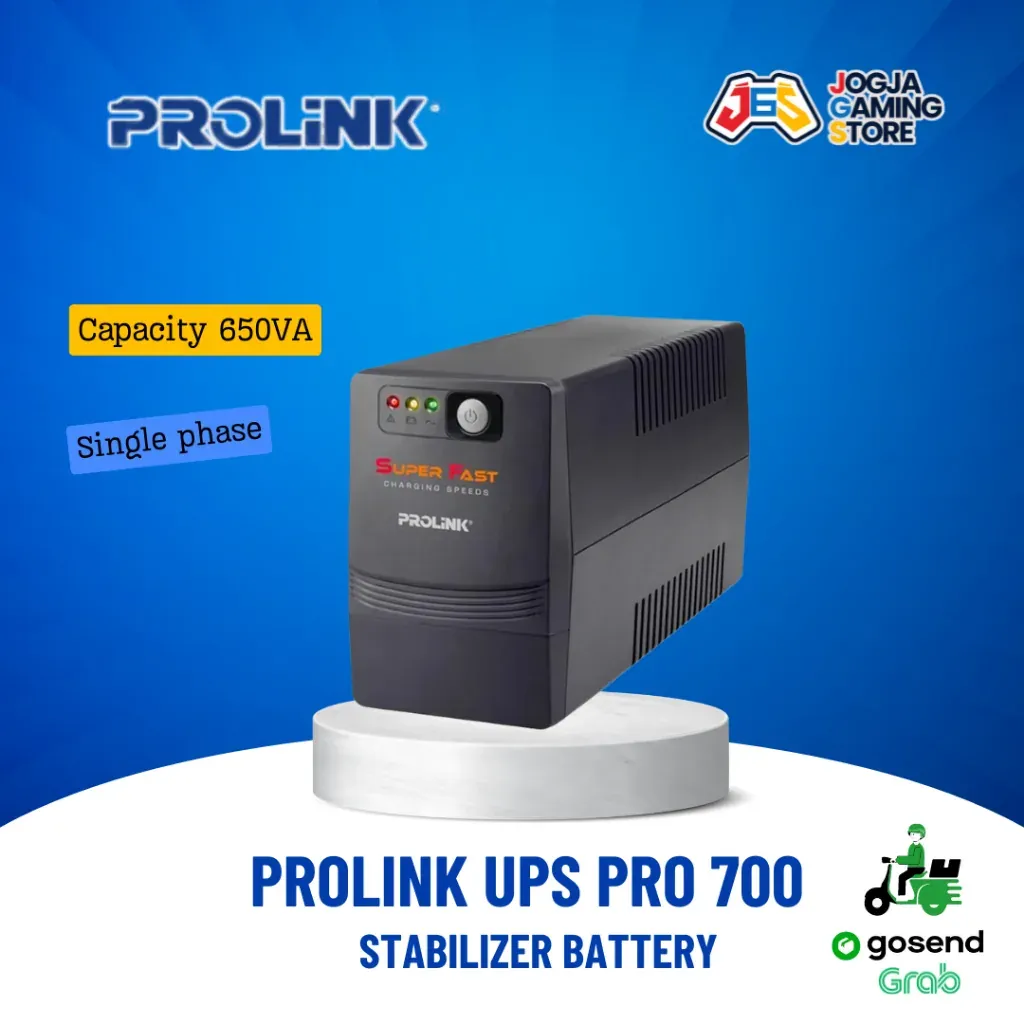
Prolink PRO700S
Budget line-interactive UPS for home PCs
Pros
- Affordable entry-level price bracket
- Automatic voltage regulation and surge protection
- Good fit for short blackouts of seconds to minutes
Cons
- Limited runtime at higher loads
- Not suited to laser printers or heavy loads
Features
A standby/line-interactive style UPS for desktop PCs and network gear, providing automatic voltage regulation and surge protection with battery backup outlets during outages.
Performance
Handles brief power cuts so you can save work and shut down safely; larger gaming loads will drain the battery quickly, so keep it to a PC and monitor.
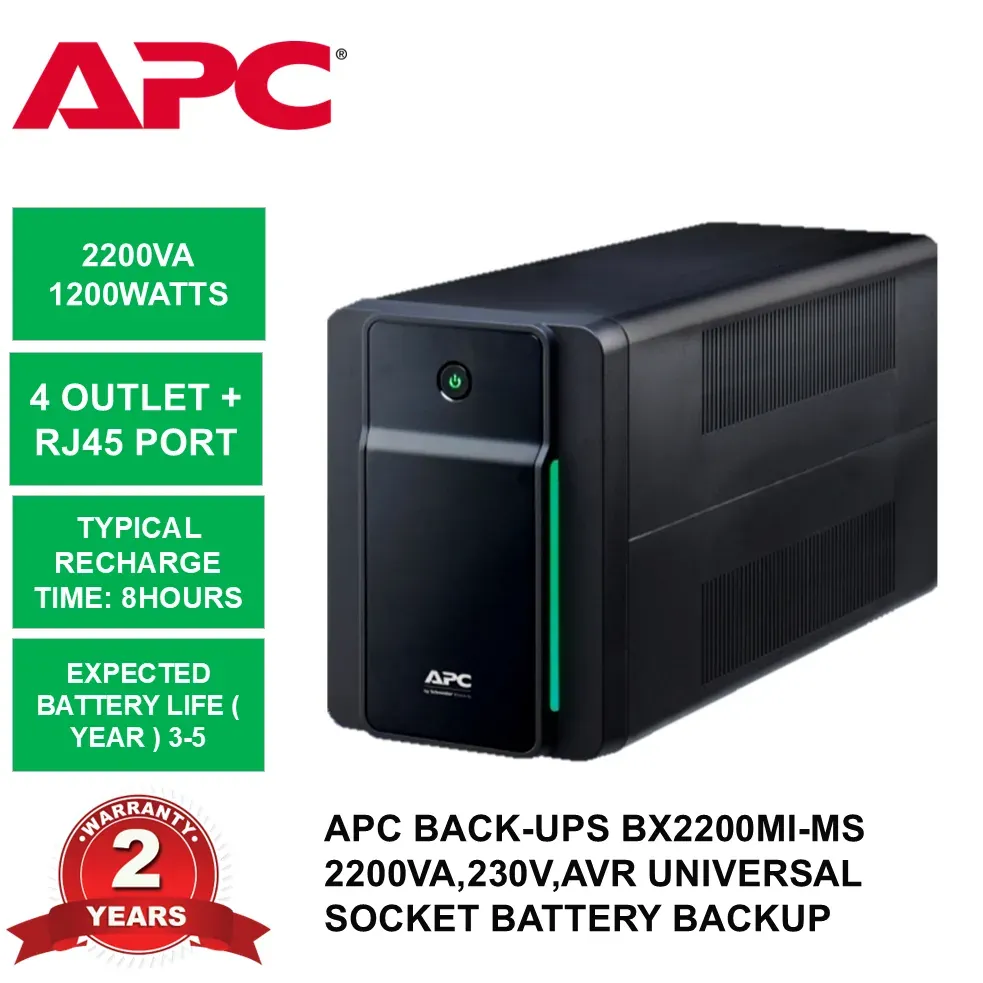
APC Back-UPS BX2200MI-MS
High-capacity Back-UPS for gaming rigs
Pros
- 2200VA capacity suits power-hungry PCs
- AVR stabilises voltage during dips
- Trusted APC brand for electronics protection
Cons
- Replacement battery cost and availability concerns
- Pricier than budget brands
Features
APC Back-UPS 2200VA, 230V unit with automatic voltage regulation and universal outlets, sold in Malaysia through APC's Back-UPS line.
Performance
Provides headroom for a gaming PC plus monitor and router, giving minutes of runtime to finish a match or shut down cleanly during an outage.
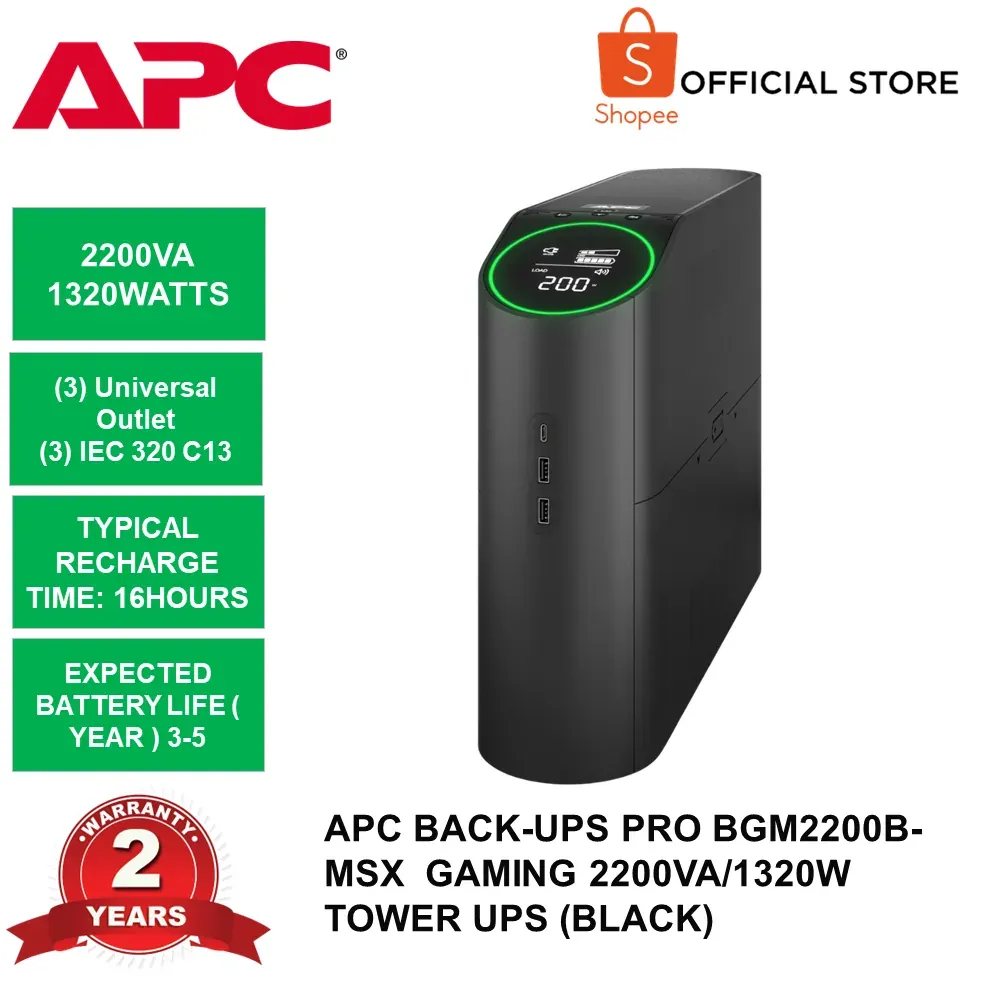
APC Back-UPS Pro Gaming 1320W / 2200VA
Gaming UPS with sine wave and USB charging
Pros
- Pure sine wave output protects sensitive gear
- Reactor circle shows remaining runtime
- 6 outlets plus 2 USB-A and 1 USB-C
Cons
- Premium price versus standard Back-UPS
- Runtime still measured in minutes under load
Features
2200VA/1320W gaming UPS with 6 battery-backed outlets, 2 USB-A and 1 USB-C ports, and pulsing-light alerts for surges, dips and wiring faults.
Performance
APC estimates about 10 minutes for a gaming PC with one monitor and 20 minutes for a gaming laptop with monitor, router/modem included.
APC Easy UPS AVR BV800I-MS
Compact 800VA AVR UPS for basic PCs
Pros
- 800VA suits modest desktop loads
- Floor or wall mount flexibility
- 4 universal outlets
Cons
- Modest capacity for high-wattage gaming PCs
- Short backup window under load
Features
APC Easy UPS AVR 800VA, 230V unit with floor/wall mounting and 4 universal outlets for backup battery power.
Performance
Enough for a standard desktop and monitor through short outages; heavier gaming systems may trigger overload as with other 800VA units.
Dell-APC Smart-UPS Line-interactive 1.44 kVA/1 kW
Business-grade line-interactive UPS for workstations
Pros
- 1 kW output for heavier systems
- Line-interactive voltage regulation
- Enterprise APC Smart-UPS platform
Cons
- Overkill and costly for home desktops
- Bulky compared to consumer units
Features
Dell-APC Smart-UPS line-interactive unit rated 1.44 kVA/1 kW, sold through Dell Malaysia for workstation and small-server protection.
Performance
Built for sustained business workloads where clean, regulated power matters more than compact size; home users rarely need this capacity.
Sources
- rightpowerups.com.my — UPS purpose and outage protection
- forum.lowyat.net — Warranty terms, pricing and battery costs
- cyberpower.com — Wattage sizing guidance
- allithypermarket.com.my — APC model availability and specs
- lazada.com.my — Prolink UPS features and retail channel
- dell.com — Dell-APC Smart-UPS model details
- facebook.com — Brand recommendations from users
- wiser.my — Budget UPS under RM200 context